

OpenExplorer Introduction
What is OE
OE is the abbreviation of OpenExplorer, which is an full lifecycle development platform based on Horizon's self-developed computing platform.
It mainly includes three functional modules: model compilation optimization toolset, algorithm warehouse and application development SDK. The application reference solutions developed based on these three functional modules provide case supports for smart driving, smart IoT and other industry solutions.
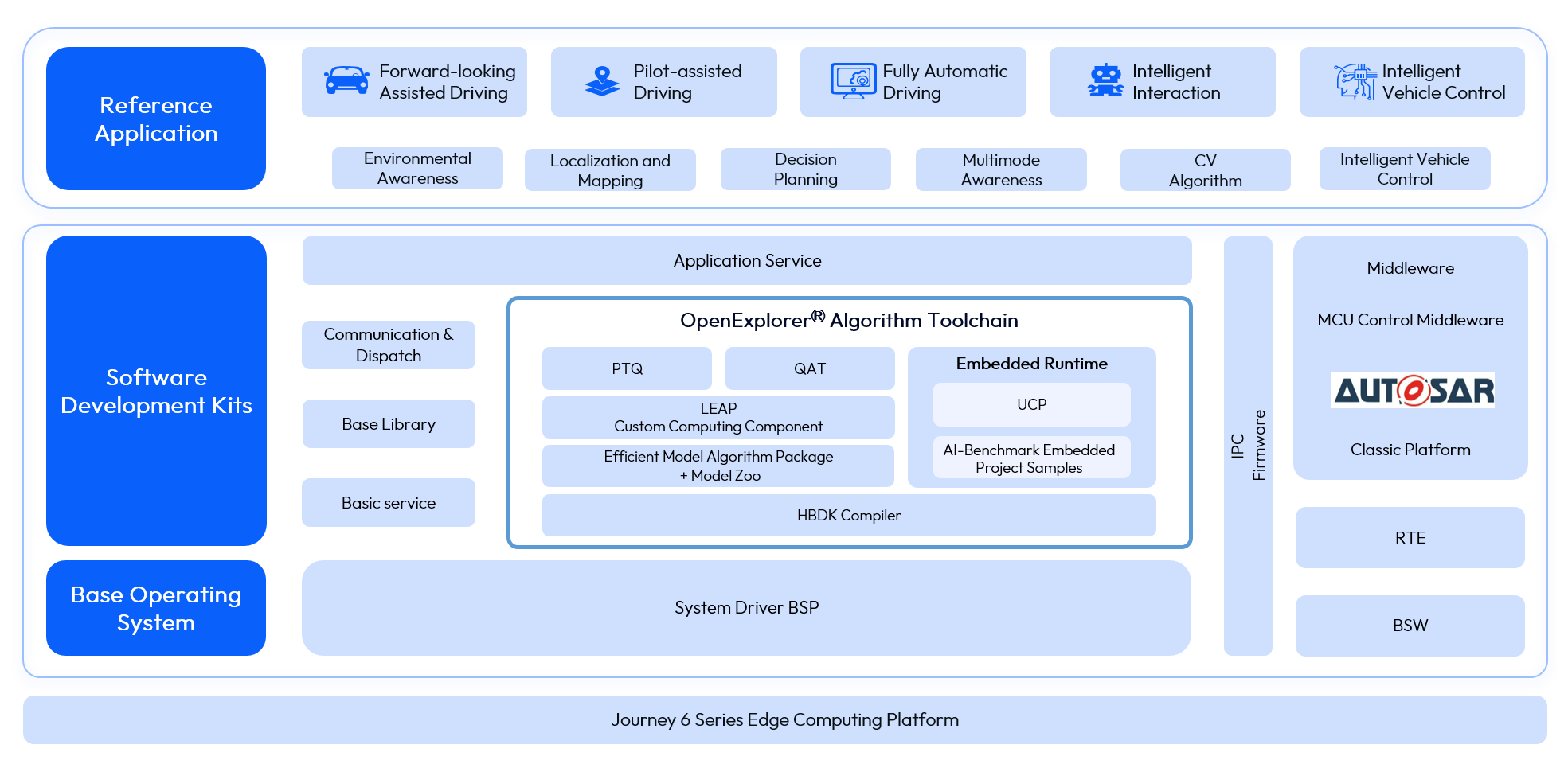
- Model compilation optimization toolset: It focuses on intelligent business scenarios, including a series of software toolsets involved in completing the algorithmic model conversion and compilation process, providing model quantization, optimization, compilation, debugging and other functions.
- Algorithm warehouse: It fits the basic algorithmic structure of the current smart driving field, and the key business algorithmic technology points, Horizon provides a wealth of open source best practices, empowering Horizon partners to develop their own smart products faster and more economically.
- Application Development SDK: It provides rich basic interfaces and tools to support the deployment of business algorithms on the Journey platform, which can completely support the whole process of customer deployment in simulation and physical environment.
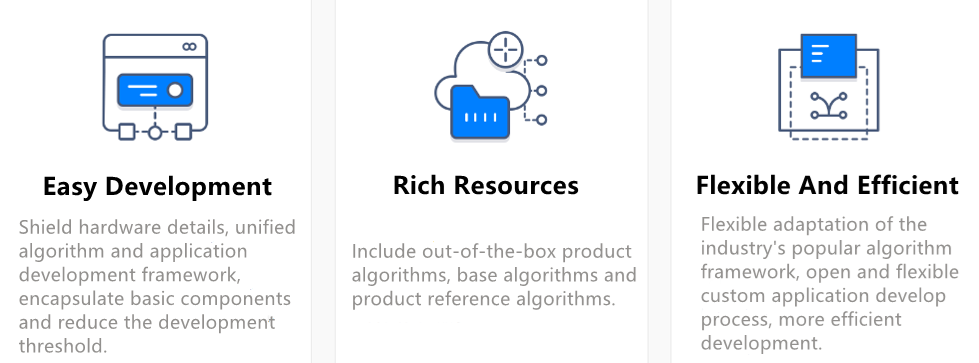
OE provides Horizon partners with rich and diverse algorithm resources, flexible and efficient development tools, and easy-to-use development frameworks. The features and advantages of OE are as follows:
To help you deploy various solutions to a series of Horizon dev boards, we provide a full-volume development package, called OE package, which integrates the development environment deployment, application reference solution sample code, user manuals, etc. After you get the OE package, you can first follow the steps below to understand the OE:
- First refer to Release Content for the directory structure of the release package.
- Then refer to Environment Deployment for the development environment and runtime environment deployment.
- Next, refer to Post-training Quantization (PTQ), Quantized Awareness Training (QAT) and Embedded Application Development to complete the entire process of model conversion and deployment.
For more tutorials on using the OE package, please refer to the instruction manual below. We believe Horizon's OE package can make your development more efficient and easier!
Release Content
package
The package directory contains some base libraries and components for the distribution to run.
-
package.board
package.boardcontains the board-side executables.hrt_model_execis a model execution tool that can be used directly on the dev board to evaluate the inference performance of the model and obtain model information, which provides funcitons including model inferenceinfer, model performance analysisperfand viewing model informationmodel_info.install.shis an installation script that installs thehrttool to the specified dev board with one click.
-
package.host
The
package.hostfolder contains the environment dependencies and tool dependencies for the distribution in the x86 development environment. By executing the scriptinstall.shin this directory, you can install all environment and tool dependencies on the development machine. By executing the scriptresolve.shin this directory, you can download the cross-compilation tools and torch etc. dependencies.
samples
The samples contains ai_toolchain, model_zoo and ucp_tutorial.
- ai_toolchain provides a series of samples of some model algorithms (horizon_model_train_samples: samples of floating-point model training frameworks; horizon_model_convert_sample: a conversion sample for floating-point to fixed-point models; model_zoo: a model library that is used to place the original model and runtime model for the toolchain sample model compilation).
- model_zoo, soft link points to the model_zoo path in the ai_toolchain folder.
- ucp_tutorial, the UCP samples package, which provides the necessary dependencies for UCP and related samples.
resolve_all.sh
Script for automatically downloading all downloadable dependencies within the OE package.
Running this script will sequentially download the following:
-
Execute
resolve.shunder thepackage/hostpath to download the cross-compilation tools and torch etc. dependencies. -
Execute
resolve_ai_benchmark_ptq.shunder thesamples/ai_toolchain/model_zoo/runtime/ai_benchmarkpath to download the hbm model used on the board. -
Execute
resolve_ai_benchmark_qat.shunder thesamples/ai_toolchain/model_zoo/runtime/ai_benchmarkpath to download the hbm model used on the board. -
Execute
resolve_runtime_sample.shunder thesamples/ai_toolchain/model_zoo/runtime/basic_samplespath to download the hbm model used on the board for the corresponding sample. -
Execute
resolve.shunder thesamples/ucp_tutorial/dnn/basic_samples/code/path to download the dataset and other files required for the corresponding sample. -
Execute all the
00_init.shscripts in thesamples/ai_toolchain/horizon_model_convert_samplefolder to download the calibration dataset and the original model for the sample.
run_docker.sh
In case the evaluation dataset and the required docker download for the OE package are completed, you can use the command sh run_docker.sh {dataset path} to automatically mount the OE package and start the docker.