

Object Detection Full Process Sample
The OE package provides a full process object detection sample in the samples/ucp_tutorial/all-round path. This sample shows how to run a detection model on J6 and display the results.
The QNX operating system and J6P platform does not support running this object detection full process sample.
Program Principle
This sample includes CameraInputModule, InferenceModule, PostProcessModule, CodecModule and WebDisplayModule, it uses the producer + consumer model to connect the modules in series. The relationship is shown in the following figure:
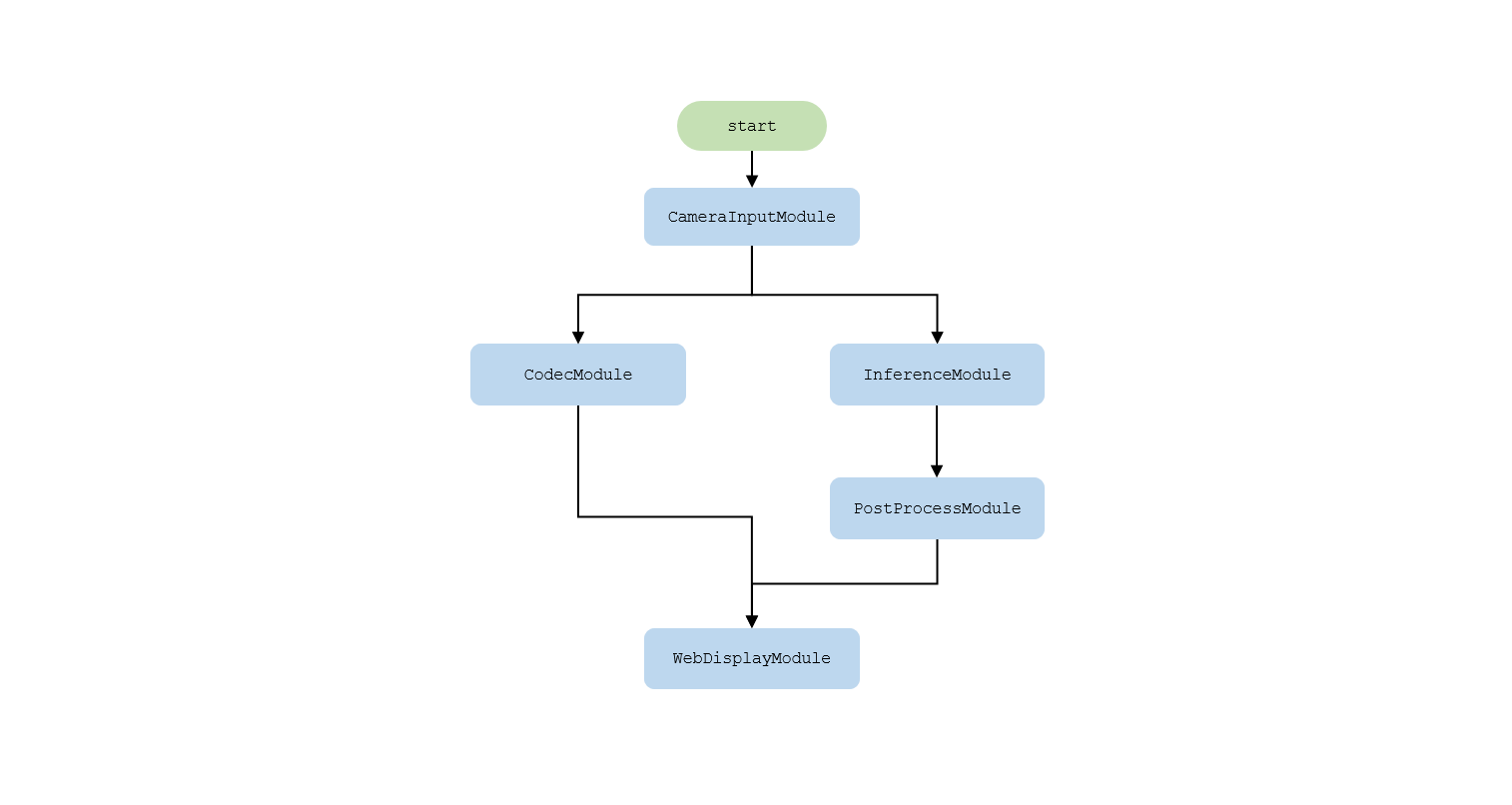
- CameraInputModule: Get the pyramid image passed in from the sensor.
- InferenceModule: Select a layer of the pyramid image and call the UCP model inference interface to perform the detection task.
- PostProcessModule: Post-process the predicted results to obtain detection results.
- CodecModule: Get the pyramid image and encode it as jpg format data output.
- WebDisplayModule: Get the intelligent results and encoded jpg data, and send them to the web for display via websocket.
Compile and Deploy
After the above command is executed, a deploy directory will be generated and copied to the J6 board.
Run
Enter the deploy folder and execute the following command:
x indicates the debug level of the log, which supports i/d/w/e.
- i: Print info information to show the time and FPS of each module. The default setting is i.
- d: Print debug information.
- w: Print warning information.
- e: Print error information.
Camera Supports
Currently supports OVX8b (Fov120) camera.
How to Use
Enter the deploy folder and modify the post-processing configuration file to adjust the detection effect:
Run the full process sample:
Open the browser and visit http://IP. IP is the address of J6 board. Click the web display link to view the detection effect.