

Object Detection Full Process Sample
The OE package provides a full process object detection sample in the samples/ucp_tutorial/all-round path. This sample shows how to run a detection model on J6 and display the results.
Program Principle
This sample includes CameraInputModule, InferenceModule, PostProcessModule, CodecModule and WebDisplayModule, it uses the producer + consumer model to connect the modules in series. The relationship is shown in the following figure:
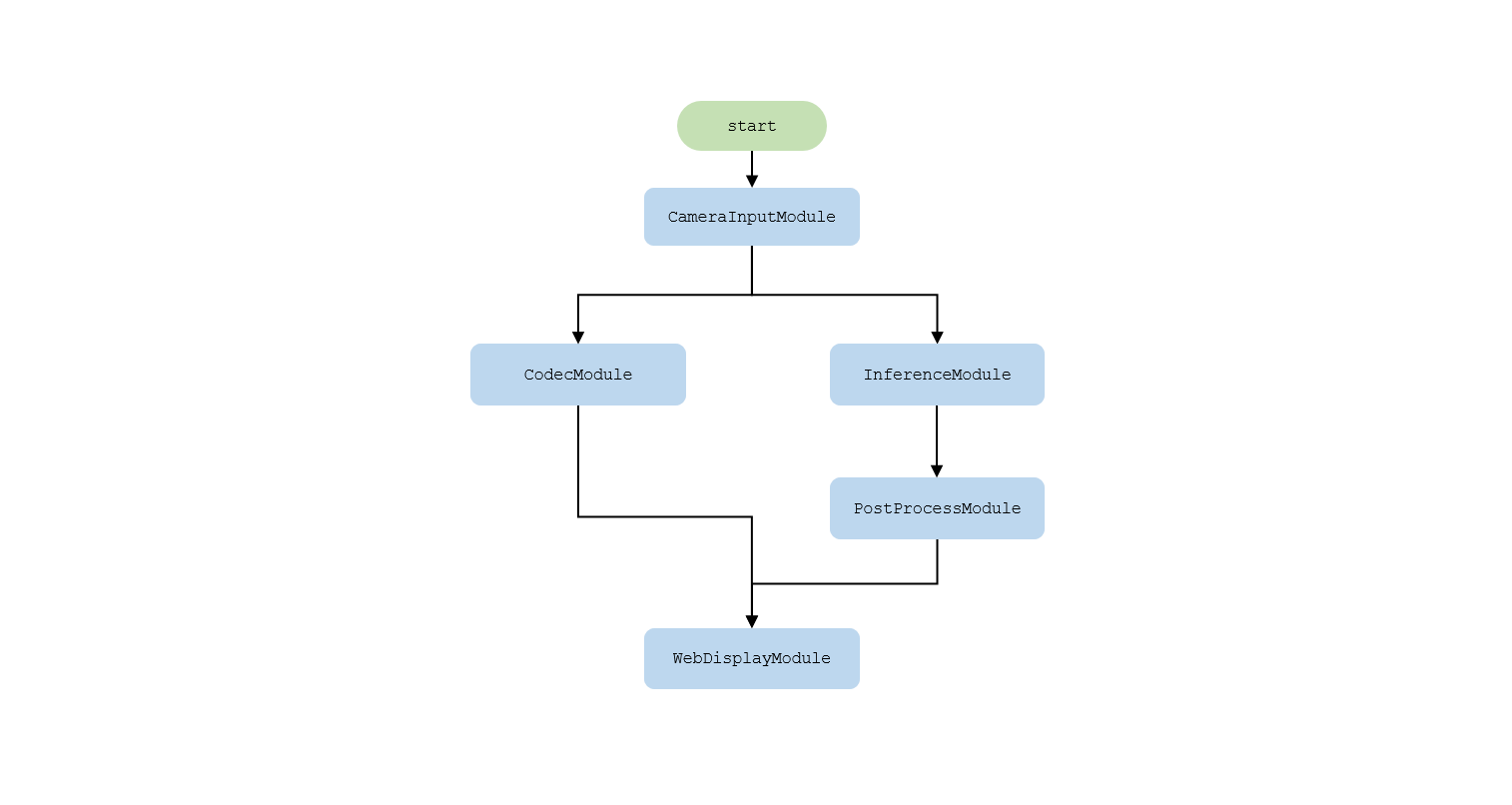
- CameraInputModule: Get the pyramid image passed in from the sensor.
- InferenceModule: Select a layer of the pyramid image and call the UCP model inference interface to perform the detection task.
- PostProcessModule: Post-process the predicted results to obtain detection results.
- CodecModule: Get the pyramid image and encode it as jpg format data output.
- WebDisplayModule: Get the intelligent results and encoded jpg data, and send them to the web for display via websocket.
Compile and Deploy
After the above command is executed, a deploy directory will be generated and copied to the J6 board.
Run
Enter the deploy folder and execute the following command:
x indicates the debug level of the log, which supports i/d/w/e.
- i: Print info information to show the time and FPS of each module. The default setting is i.
- d: Print debug information.
- w: Print warning information.
- e: Print error information.
Camera Supports
Currently supports OVX8b (Fov120) camera.
How to Use
Enter the deploy folder and modify the post-processing configuration file to adjust the detection effect:
Run the full process sample:
Open the browser and visit http://IP. IP is the address of J6 board. Click the web display link to view the detection effect.