

Module Architecture
VP Module Architecture
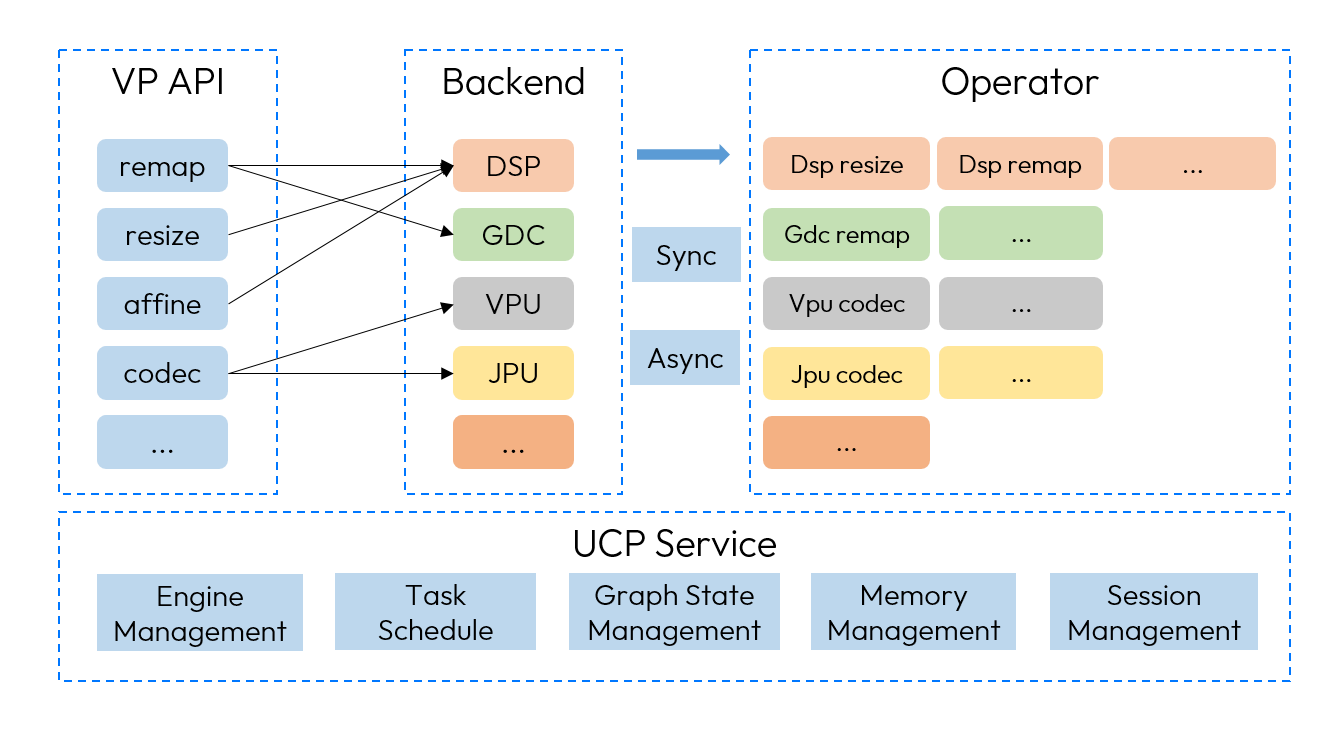
Using the VP module's API, a task handle for the operator is created. Each operator interface has at least one hardware implementation (e.g., the remap perator can execute on DSP or GDC hardware). After creating the task handle, scheduling parameters can be set to specify the backend, task priority, device ID, and custom ID, thereby submitting the task to the corresponding processing unit. Once the task is submitted, the API must be called to wait for the task to complete. After the task is completed, the API is used to release the task handle and related resources, ensuring effective management and release of system resources. Throughout the process from task creation to submission and release, the UCP Service layer provides comprehensive interface and functional support at each stage.
Operator Execution Process
The Rotate operator's asynchronous execution is used as an example to demonstrate the actual invocation process of the operator. The usage of other operators follows a similar process.
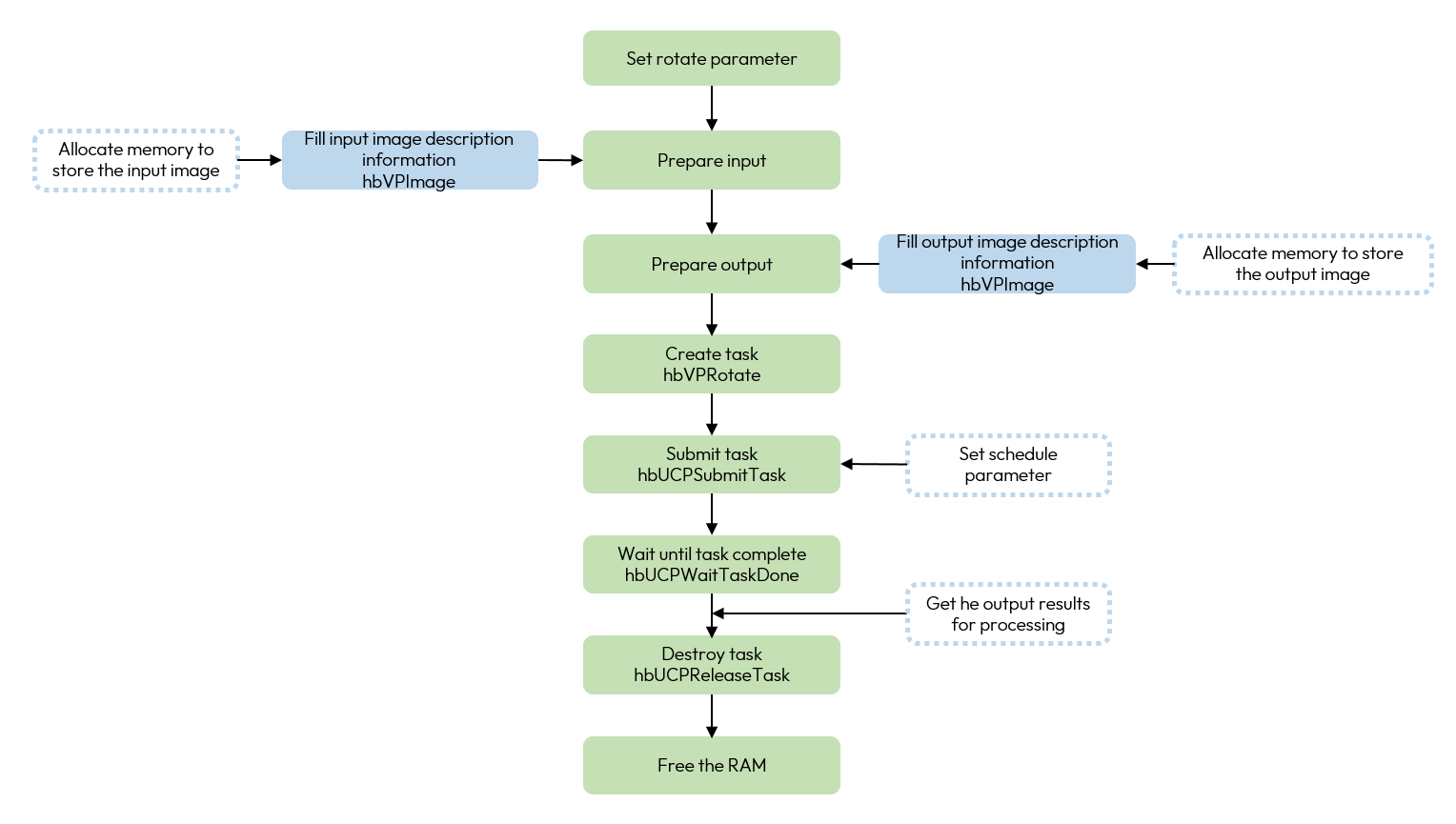
The dashed box indicates that the step is non-required, which can be omitted by reusing parameters, using default parameters, etc.
-
Prepare the input and output data: that is applying memory for the picture and constructing the associated description.
-
Create an operator task: this step calls the operator task interface directly, while pass the parameters required for the execution of the operator, the UCP task handle will be output after the execution is completed.
-
Commit task: commit operator tasks to different processing cores by passing in scheduling parameters, task committing supports specifying the backend, if you do not specify the backend, the system will automatically adapt.
-
Specify the interface to wait for the end of the task: at the end of the task, the system will return different return values according to the different execution status, at this time, you can check the result of the task execution according to the return value.
-
Destroy the task: after the successful execution of the task, you need to destroy the task and free the applied memory.