Video Encoding and Decoding Sample
The video encoding and decoding sample demonstrates typical use cases of video processing with UCP, including the following:
-
Decoding Sample Based on UCP Encoding Output: This showcases how to decode a stream generated by the UCP encoder interface, providing a complete encoding-decoding workflow demonstration.
-
Encoding Sample Based on UCP Decoding Output: This demonstrates decoding from a provided stream file, followed by re-encoding the decoded data using the UCP encoder interface. It is suitable for scenarios involving the processing and transformation of existing video data.
The sample scripts allow to configure encoding parameters according to their needs, enabling optimization of video quality, compression ratio, and performance to suit different application scenarios. Through this sample, you can learn and practice how to use the UCP framework for video encoding and decoding operations. The implementation details can be fine-tuned according to specific needs, and the accompanying source code provides further guidance for practical application.
Function Overview
Decoding Sample Based on UCP Encoding Output
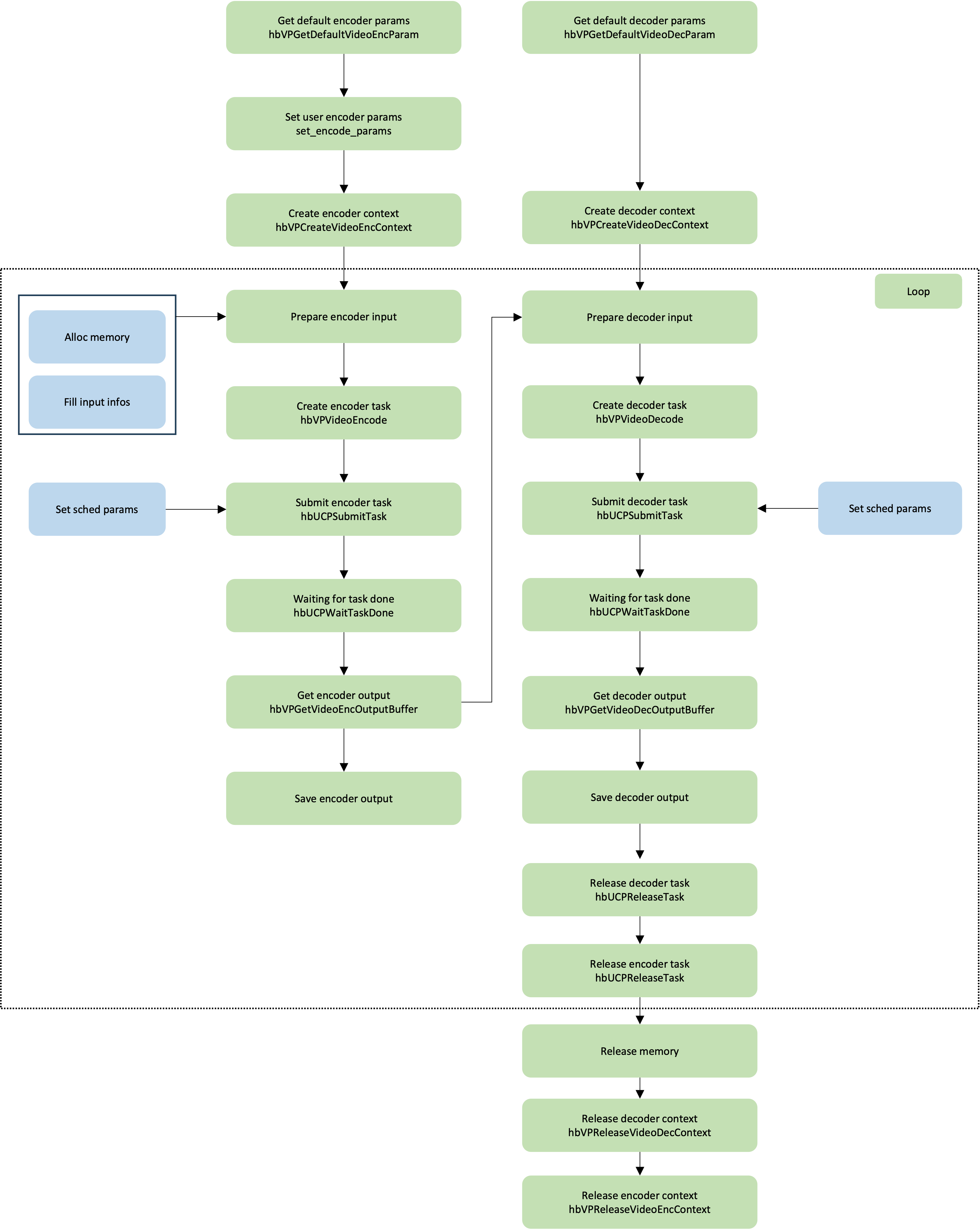
This sample demonstrates a complete video encoding and decoding process. The input video sequence is in YUV420 format, and after encoding it with the H.265 encoder, the corresponding stream is generated. During the decoding process, each frame's stream is fed into the decoder in real-time, and after H.265 decoding, the corresponding YUV video is obtained. It's important to note that the video encoding process is lossy, meaning that the YUV video sequence obtained after decoding is not identical to the original input sequence.
The steps involved in the sample code are as follows (refer to the source code for detailed implementation):
-
Prepare encoder and decoder parameters.
-
Create encoder and decoder contexts.
-
Prepare encoder input memory.
-
The input YUV420 video sequence is fed frame-by-frame to the encoder for encoding, waiting for the encoding task to be completed, and then the generated H.265 stream is fed frame-by-frame to the decoder.
-
Free input memory after encoding and decoding.
-
Release encoder and decoder contexts.
Encoding Sample Based on UCP Decoding Output
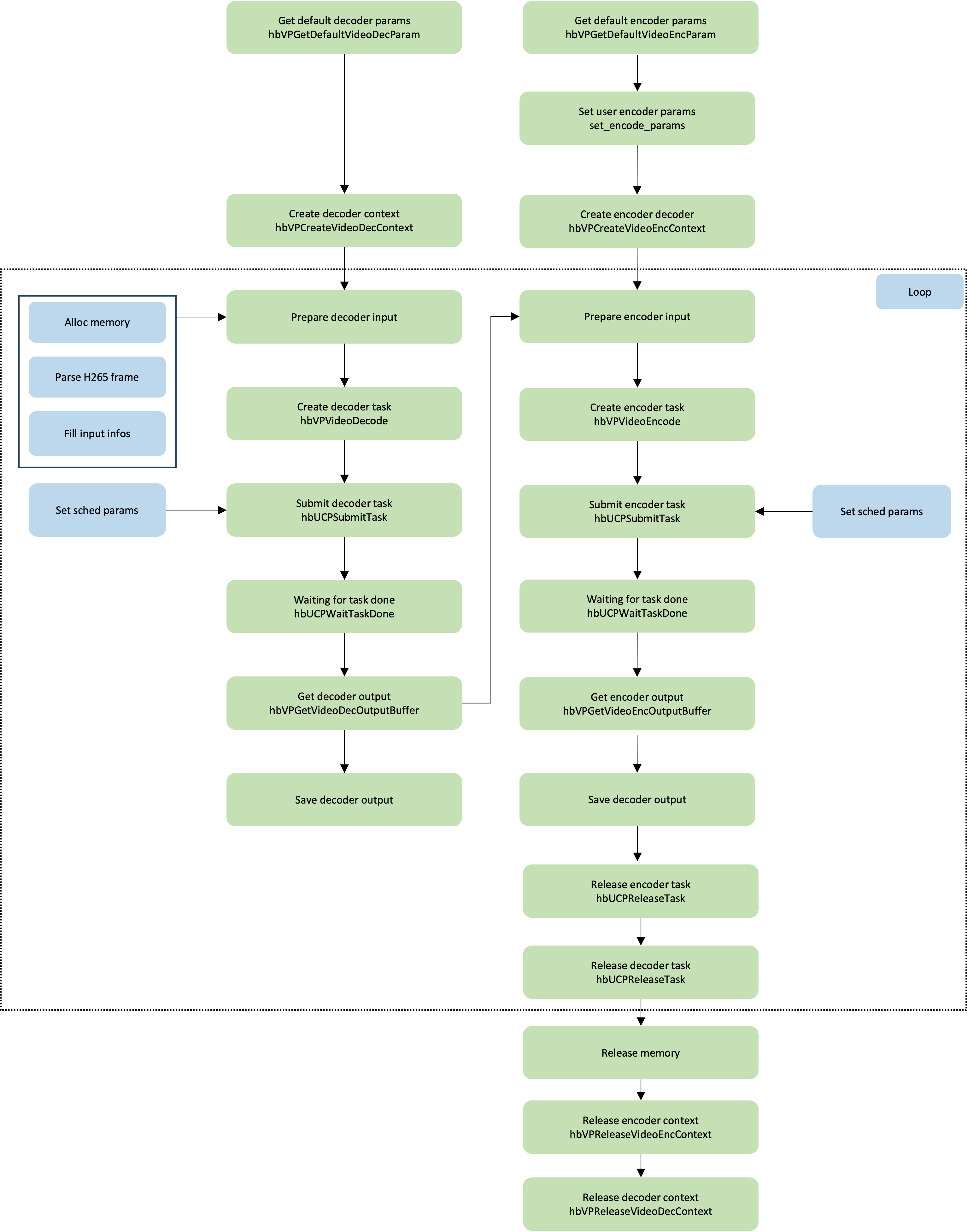
This sample demonstrates how to decode an H.265 bitstream file and, after decoding, use the UCP encoder interface to re-encode the video. This is useful for scenarios where existing video data needs to be processed and converted. The input video sequence is an H.265 bitstream, which is first decoded into a YUV420 format video sequence using an H.265 decoder. Once decoded, the YUV420 video sequence is fed frame by frame into the encoder, where it is re-encoded back into an H.265 bitstream.
The steps involved in the code can be summarized as follows (refer to the source code for detailed implementation):
-
Prepare decoder and encoder parameters.
-
Create decoder and encoder contexts.
-
Prepare decoder input memory.
-
Call the avformat function to parse the H.265 stream frame by frame and send it to the decoder for decoding, wait for the encoding task to complete, and then send the generated YUV data to the encoder frame by frame.
-
Release input memory.
-
Release encoder and decoder contexts.
Run Guide
The video encoding and decoding sample scripts are located in the ucp_tutorial/vp/vp_samples/script/06_codec directory.
The directory includes the following scripts:
The command line contents in the run_codec.sh script are as follows:
When executing, navigate to the vp_samples/script/06_codec directory and simply run run_codec.sh.
The execution method and log output are as follows:
In this sample, running the script directly will use the default parameters for H.265 encoding. If you wish to modify the H.265 encoding parameters, you can append additional parameters when executing the script to control the execution process. The rules for appending parameters are as follows:
Among the parameters, rc_mode is optional and is used to specify the rate control mode for the H.265 encoder,
while gop_preset_idx is also optional and is used to specify the GOP (Group of Pictures)
structure preset for the H.265 encoder.
Additionally, you can use the -help command to view a list of all available parameters
that can be appended. The encoding parameters rc_mode and gop_preset_idx are defined as follows:
Description of the results
After the execution of the sample, the image processing result will be saved in
the vp_samples/script/06_codec directory, and the content of the generated object is as
follows under the default parameter of this sample:
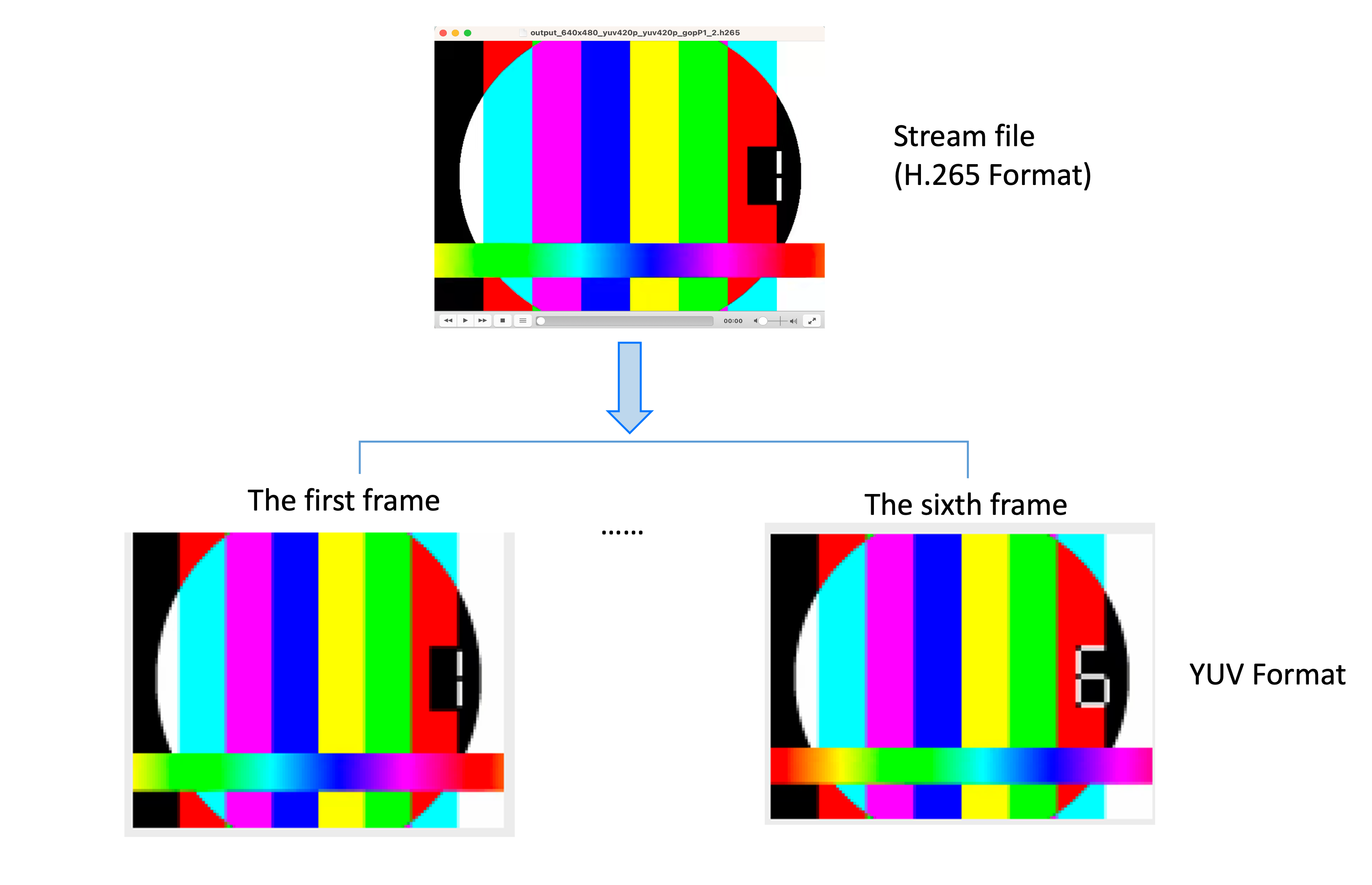
Taking decoding as an sample, the decoding effect of the first frame and the nth frame is shown as follows: