

Demosaicing
Demosaicing is an image processing algorithm that converts image data in Bayer format to RGB and other formats.
Operator Effect
| Input Image | Parameter | Output Image |
|---|---|---|
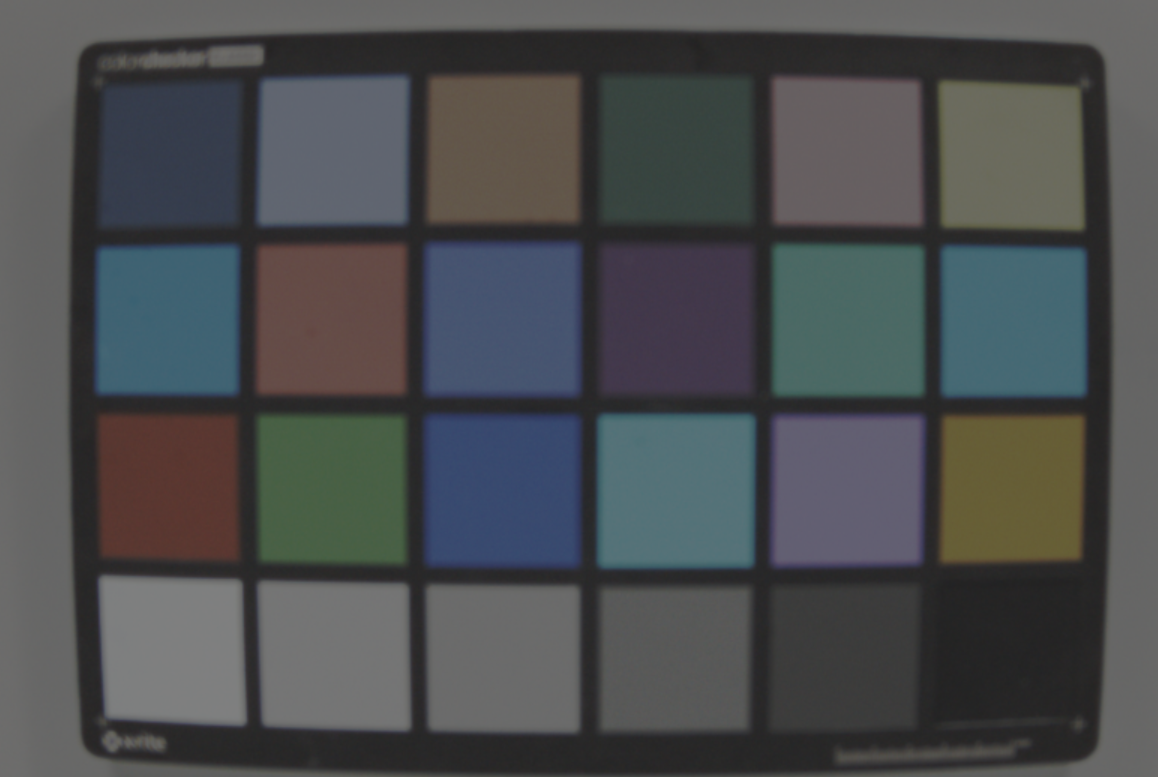 | - | |
Principle
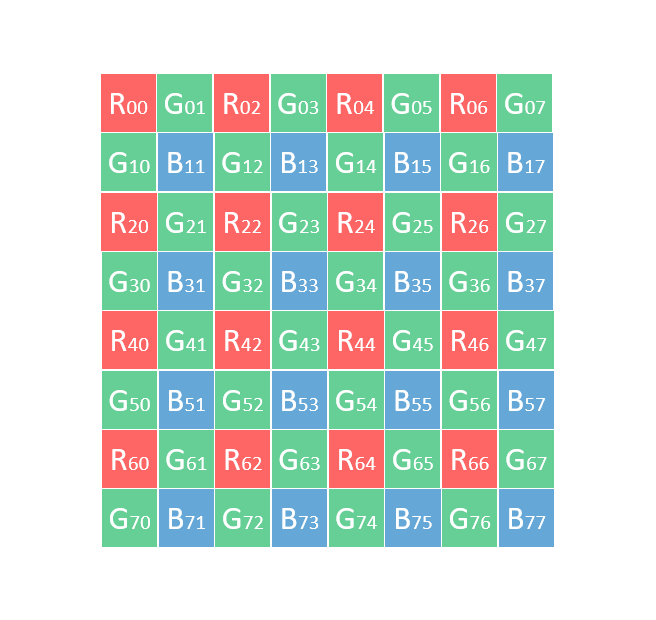
A custom interpolation method based on the principle of constant chromatic aberration is introduced to convert Bayer format image data into RGB format image data. The specific input format is RAW picture data arranged in RGGB, comp mode, and 12bit per pixel. Its specific schematic pictures are as follows:
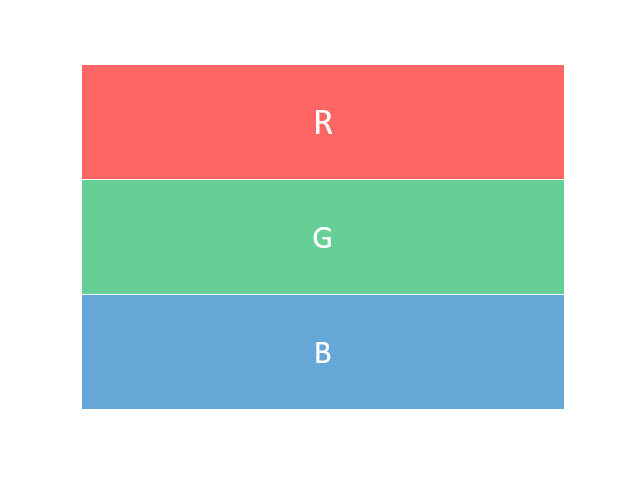
The RGB format output consists of three channels: R, G, and B, with each channel having 16 bits. The information for each channel is stored independently. The specific diagram is as follows:
Based on the diagram above, the interpolation calculation implementation is introduced. In the interpolation calculation, the corresponding RGB values for each position in the raw image need to be calculated. The calculation method is categorized based on the position of the pixel as follows:
- Raw format R calculates R, G, B.
- Raw format G calculates R, G, B.
- Raw format B calculates R, G, B.
Raw format R calculates R, G, B
The value of the R channel is taken directly from the Raw value. For example, from points R00 and R02 in the Raw image.
The value of the G channel needs to be interpolated based on the Raw value and surrounding values. This interpolation method is named green_5x5. For example, for R24, the calculation method is as follows:
- First, determine the interpolation direction. The interpolation direction is based on the sum of the first-order horizontal and vertical gradients, plus twice the second-order gradients:
- Horizontal gradient (dh): dh = abs((G23-G25)/2)+abs((R22+R26-2*R24)/2).
- Vertical gradient (dv): dv = abs((G14-G34)/2)+abs((R04+R44-2*R24)/2).
- When dh < dv, interpolate along the horizontal direction: G = (G23+G25)/2.
- When dh > dv, interpolate along the vertical direction: G = (G14+G34)/2.
- When dh == dv, G = (G23+G25+G14+G34)/4.
- After interpolation, clip the calculated value to the valid range, for example, clip to the range of 0~4095 for 12-bit data.
The above interpolation can be represented in code as follows:
The value of the B channel needs to be interpolated based on the Raw value and surrounding values. For example, for R44, the specific calculation method is B = G + (B33-G33+B35-G35+B53-G53+B55-G55)/4.
Where G33, G35, G53, and G55 are the corresponding values of the G channel at those positions, and the calculation method is named green_3x3. For example, for B33, the green_3x3 calculation method is as follows:
- Calculate the absolute value of the horizontal gradient change, dh = abs(G32-G34).
- Calculate the absolute value of the vertical gradient change, dv = abs(G23-G43).
- When dh < dv, interpolate along the horizontal direction: G = (G32+G34)/2.
- When dh > dv, interpolate along the vertical direction: G = (G23+G43)/2.
- When dh == dv, G = (G32+G34+G23+G43)/4.
- After interpolation, clip the calculated value to the valid range. For example, for 12-bit data, clip to the range 0-4095.
The above interpolation can be represented in code as follows:
Raw format G calculates R, G, B
Depending on the position of G, it can be divided into two cases: G1 and G2. G1 refers to the G channel on the same row as R, and G2 refers to the G channel in the same column as B.
The value of the R channel needs to be interpolated based on the Raw value and surrounding values. For example, for G23, the specific calculation method is as follows:
- Calculate the G value at the left position, G22, using the green_3x3 method.
- Calculate the G value at the right position, G24, using the green_3x3 method.
- R = G + (R22-G22+R24-G24)/2.
The above interpolation can be represented in code as follows:
For example, for G32, the specific calculation method is as follows:
- Calculate the G value at the top position, G22, using the green_3x3 method.
- Calculate the G value at the bottom position, G42, using the green_3x3 method.
- R = G + (R22-G22+R42-G42)/2.
The above interpolation can be represented in code as follows:
The value of the G channel is taken directly from the Raw value. For example, from points R01 and R10 in the Raw image.
The value of the B channel needs to be interpolated based on the Raw value and surrounding values. For example, for G23, the specific calculation method is as follows:
- Calculate the G value at the top position, G13, using the green_3x3 method.
- Calculate the G value at the bottom position, G33, using the green_3x3 method.
- B = G + (B13-G13+B33-G33)/2.
The above interpolation can be represented in code as follows:
For example, for G32, the specific calculation method is as follows:
- Calculate the G value at the left position, G31, using the green_3x3 method.
- Calculate the G value at the right position, G33, using the green_3x3 method.
- B = G + (B31-G31+B33-G33)/2.
The above interpolation can be represented in code as follows:
Raw format B calculates R, G, B
The value of the G channel needs to be interpolated based on the Raw value and surrounding values, using the green_5x5 method.
The value of the R channel needs to be interpolated based on the Raw value and surrounding values. For example, for B33, the specific calculation method is R = G + (R22-G22+R24-G24+R42-G42+R44-G44)/4.
Where G22, G24, G42, and G44 are the corresponding G channel values at those positions, and the calculation method is green_3x3.
The above interpolation can be represented in code as follows:
The value of the B channel is taken directly from the Raw value. For example, from points B11 and B13 in the Raw image.
API Interface
For detailed interface information, please refer to hbVPHBDemosaicing.