Through stitch, realize the effect of stitching and fusion of one picture with another picture, commonly used in APA and panorama stitching and other scenarios.
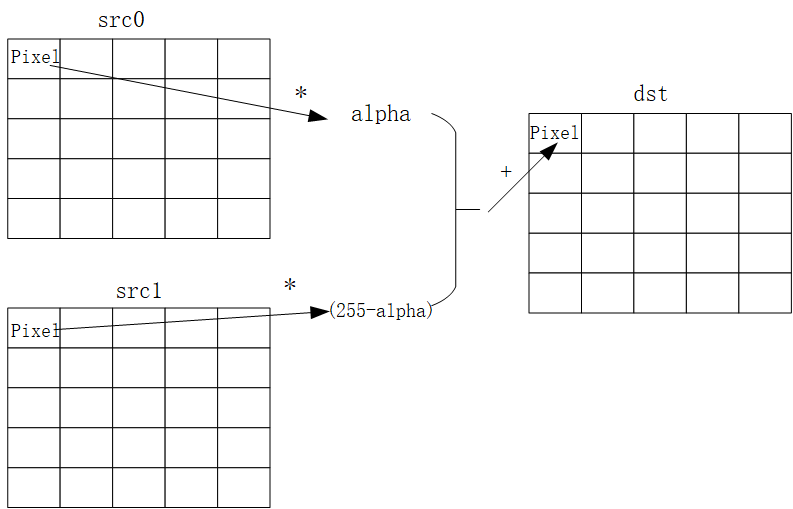
If it's a stitch mode, where you do a stitch of two pictures and paste them into a dst layer, then the formula is as follows:
dst(x,y)=src0(x,y)∗alpha+src1(x,y)∗(255−alpha)
Among them, dst is the output picture, src0 is the input picture 0, and src1 is the input picture 1.
The src0 pixel points are multiplied by the alpha coefficient and the corresponding pixel points of the other image are multiplied by the beta coefficient,
and the two results are added together to update the pixel points of the dst layer.
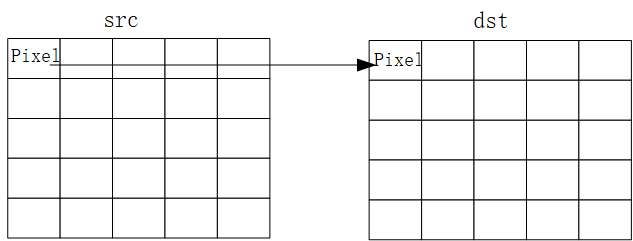
If you are in paste original mode, pasting a picture to a dst layer, then the formula is as follows:
dst(x,y)=src(x,y)
Among them, dst is the output picture and src is the input picture.
Updates the pixel points of the dst layer, using the src pixel points.
The lut table, which is composed of the above n alpha, is the table that can represent the fusion of each pixel point in the w*h region.
By configuring different alpha values for each pixel point, different stitching values can be realized.