Board Resources Evaluation
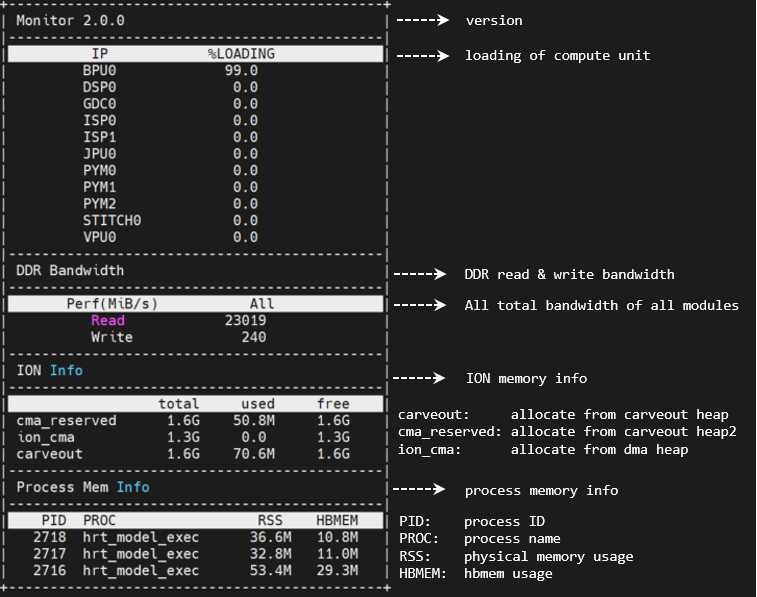
This section describes how to use the resource monitoring tool hrt_ucp_monitor to evaluate the hardware resource usage on the board. When the model already runs correctly on the board and you need to confirm the actual usage of the hardware resources, or to investigate resource contention in a multi-model scenario, you can use this tool to collect data as the basis for adjusting the deployment plan. This tool can monitor the utilization rates and memory information of hardware IP on the Horizon Robotics computing platforms (such as BPU, DSP, etc.), helping you understand the resource consumption of the model during actual operation.
Below is a detailed introduction to the usage of the hrt_ucp_monitor tool for board-level resource evaluation.
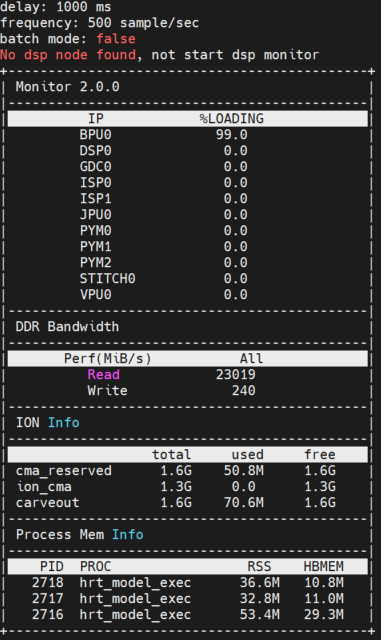
If no parameters are specified, run with the default parameters
When running hrt_ucp_monitor without specifying parameters, it will use default parameters to run. By default, all hardware IPs are monitored,
the interactive mode is used, BPU and DSP samples are taken every 500 times per second, and the hardware IP utilization is refreshed every 1000ms.
Use the batch parameter for batch processing
In the batch mode, it is not supported to receive user keystrokes. Instead, each time hrt_ucp_monitor refreshed the data, it will output a new line and is suitable for redirecting data to a file.
Output results in terminal
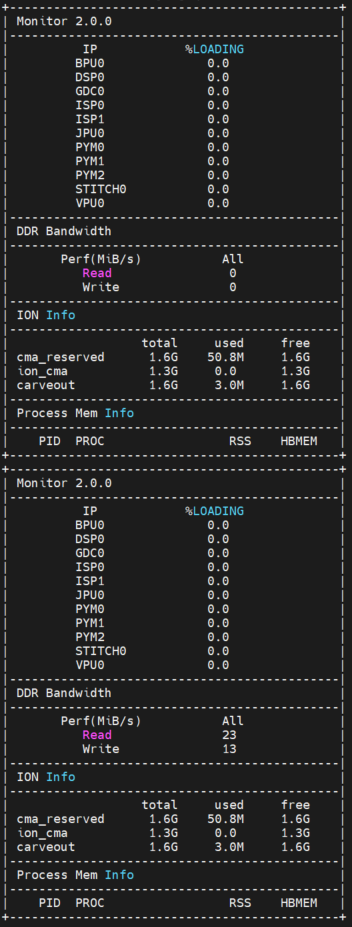
Redirect output results to file.
Use the delay parameter to set the refresh time
The refesh time is set to 3 seconds, indicating that the data will be refreshed every 3 seconds.
Use the freq parameter to set the number of periodic samplings
Set the sampleling period for the busy state of BPU and DSP to 100 samples per second.
Use the number parameter to set the maximum number of refreshes
Use the time parameter to set the refresh time
The default refresh time of the tool is 1 second, and after running for 10 seconds, it will exit.
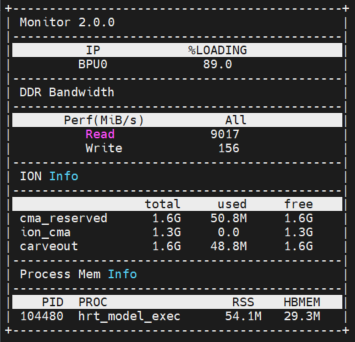
Use the enable parameter to output the occupancy rate data of the BPU
The tool will only output BPU usage data.
Use the verbose parameter to obtain the log information
Display more detailed log information such as tool parameters during the operation of hrt_ucp_monitor.